 朔风
朔风Elasticsearch 8.x 索引的常见 CRUD 操作
以下操作,均在 Kibana 面板上操作,也可以通过接口工具操作
创建索引(Create Index)
shell
## 格式
#PUT /<index_name>
#{
#  "settings": {
#    "number_of_shards": 1,  # 分片
#    "number_of_replicas": 1 # 副本
#  }
#}

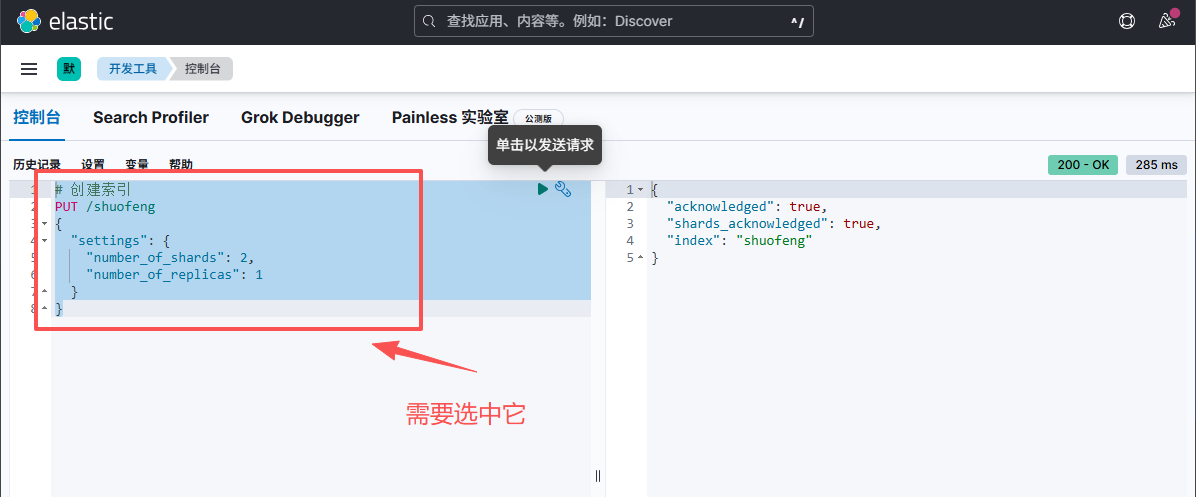
PUT /shuofeng
{
  "settings": {
    "number_of_shards": 2,
    "number_of_replicas": 1
  }
}
查看索引列表
shell
GET /_cat/indices?v=true&pretty查看分片情况
shell
GET /_cat/shards?v=true&pretty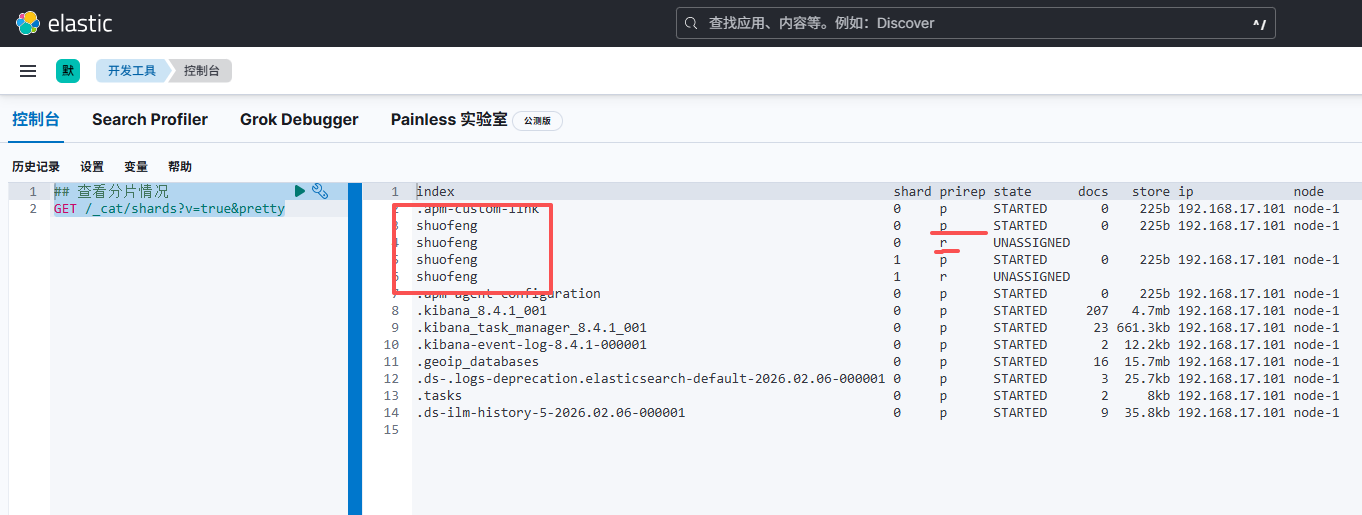
查看分片的时候,同一个索引有 4 个,是因为创建时,有 1 个副本,两个分片。
即一个索引库,有两个分片,这个索引库还有一个副本,副本中也有两个分片。
- p: 主分片;r 副本
查看索引是否存在
结果是 200 和 404
shell
# 格式
# HEAD /<index_name>

HEAD /shuofeng
获取索引(Get Index)
shell
## 格式
# GET /<index_name>

GET /shuofeng
更新索引设置(Update Index Settings)
修改的时候,分片的数据不能改,只能改副本的数量
shell
## 格式
#PUT /<index_name>/_settings
#{
#  "settings": {
#    "number_of_replicas": 2
#  }
#}

PUT /shuofeng/_settings
{
  "settings": {
    "number_of_replicas": 2
  }
}
删除索引(Delete Index):
shell
## 格式
##DELETE /<index_name>

DELETE /shuofeng